
Unraveling the Mystery: Why Your Phone Heats Up While Charging
Key Insights into Phone Overheating During Charging
- Heat Generation is Normal, Excessive Heat is Not: A slight warmth during charging is expected due to the conversion of electrical energy. However, if your phone becomes uncomfortably hot to touch, lags, or displays temperature warnings, it signals an underlying issue that needs attention.
- Multiple Contributing Factors: Phone overheating while charging is rarely due to a single cause. It's often a combination of environmental conditions, charging equipment quality, software activity, and battery health that leads to excessive heat.
- Proactive Measures are Crucial: Simple habits like using original chargers, avoiding direct sunlight, removing cases, and not using the phone for demanding tasks while charging can significantly prevent overheating and safeguard your device's longevity.
Many smartphone users have experienced the unsettling sensation of their phone getting hot while plugged in. While a minor temperature increase is a normal byproduct of the charging process, excessive heat can be a red flag, indicating potential issues that could impact your device's performance, battery life, and even safety. Understanding the "why" behind this phenomenon is the first step toward effective solutions and preventing long-term damage.
The Science Behind the Heat: Why Phones Warm Up During Charging
At its core, phone charging involves the transfer of electrical energy into chemical energy stored in the battery. This process, while essential, is not 100% efficient. Some of the electrical energy is inevitably converted into heat. This is a fundamental principle of physics and explains why any electronic device with a rechargeable battery will experience some degree of warmth during charging.
Modern smartphones are designed with advanced charging technologies and thermal management systems to handle this heat. However, when certain conditions are met, these systems can be overwhelmed, leading to noticeable and potentially problematic overheating.
Unpacking the Primary Culprits of Overheating
The reasons a phone might get excessively hot during charging are multifaceted, ranging from external factors to internal hardware and software issues.
Environmental Factors: The External Heat Contribution
Your phone's surroundings play a significant role in its ability to dissipate heat. If the environment itself is hot, it becomes much harder for your phone to cool down.
- High Ambient Temperatures: Charging your phone in direct sunlight, inside a hot car, or in a poorly ventilated room can significantly increase its temperature. The device struggles to release the heat generated during charging into an already warm environment.
- Poor Ventilation and Heat-Trapping Surfaces: Placing your phone on soft surfaces like beds, couches, or under pillows can trap heat, preventing proper airflow and exacerbating overheating. Thick phone cases, especially those made of insulating materials like silicone, can also hinder heat dissipation.
Charging Equipment: The Quality and Compatibility Factor
The accessories you use to charge your phone are critical. Not all chargers and cables are created equal.
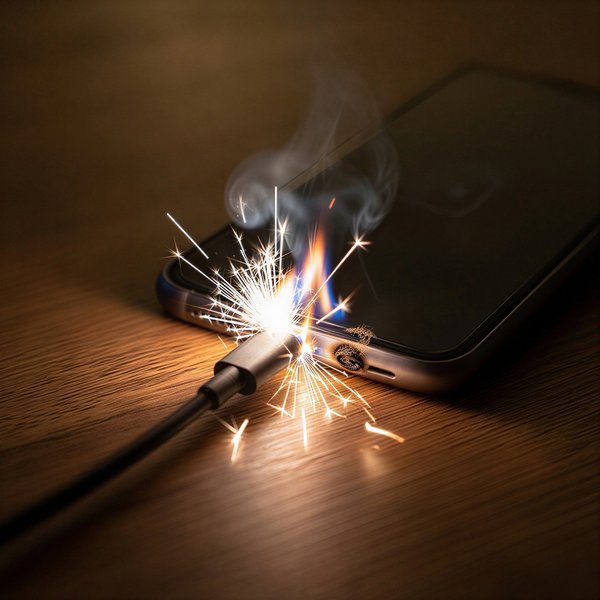
- Poor Quality or Non-Certified Chargers/Cables: Cheap, counterfeit, or uncertified charging equipment often lacks the necessary circuitry to regulate voltage and current properly. This can lead to inconsistent power delivery, inefficient charging, and excessive heat generation. Always opt for original or manufacturer-approved accessories.
- Fast Charging Technologies: While convenient, fast charging delivers more power in a shorter time, inherently generating more heat. While phones are designed to handle this, it can contribute to overheating, especially if other factors are also present. Optimized battery charging features can help manage this by slowing down charging overnight.
- Wireless Charging: Wireless charging can sometimes generate more heat than wired charging due to inefficiencies in the inductive power transfer process. Proper alignment of the phone on the charging pad and removal of thick cases are essential to minimize heat.
- Damaged Charging Port: A dirty or damaged charging port can cause an uneven connection, leading to resistance and increased heat. Regular cleaning with a soft brush or air puff can prevent this.
Software and Usage: Internal Workload and Background Processes
What your phone is doing while charging also impacts its temperature.
- Using the Phone While Charging: Engaging in resource-intensive tasks like gaming, video streaming, or heavy app usage while your phone is charging puts a dual strain on the device. The battery is simultaneously receiving and consuming power, significantly increasing heat production.
- Background Apps and Software Bugs: Numerous apps running in the background, even if not actively used, can consume resources and cause the processor to work harder. Software bugs or outdated operating systems can also lead to inefficient power management and increased heat. Keeping your software updated is crucial, as manufacturers often release updates that optimize battery performance and thermal management.
Battery Health: The Heart of the Problem
The battery itself is a common source of heat, and its health directly influences temperature regulation.
- Degraded or Aging Battery: Over time, lithium-ion batteries lose efficiency and their internal resistance increases. This means they have to work harder to hold a charge, generating more heat during the charging process. A weak or aging battery can be a significant contributor to overheating.
- Damaged or Swollen Battery: In rare but serious cases, a damaged or swollen battery can be extremely dangerous, leading to dangerous levels of heat, potential fire, or explosion. If you notice any physical deformation of your phone or battery, stop using it immediately and seek professional help.
Visualizing Overheating Causes and Risks
To better understand the intricate web of factors contributing to phone overheating while charging, let's explore a mindmap that visually connects these elements.
This mindmap clearly illustrates how various elements contribute to or are affected by phone overheating during charging. From environmental conditions to internal hardware, a holistic approach is necessary to tackle this common issue.
Immediate Actions and Preventive Strategies
If your phone starts to feel unusually hot while charging, there are immediate steps you should take, followed by long-term preventive measures.
How to Cool Down an Overheating Phone Safely
When you notice your phone is getting too hot, prompt action is essential to prevent damage:
- Unplug Immediately: This is the most crucial step. Disconnecting the power source will stop the heat generation from charging.
- Remove the Case: If your phone is in a case, take it off to allow for better airflow and heat dissipation.
- Move to a Cooler Environment: Shift your phone to a shaded, cool, and well-ventilated area, away from direct sunlight or any heat sources.
- Close Unnecessary Apps: Swipe away any applications running in the background to reduce the workload on the processor.
- Turn Off the Phone: If the phone is severely hot, turning it off for a few minutes can give it a complete break and allow it to cool down more quickly.
What NOT to do: Never place your phone in a refrigerator or freezer. Sudden and extreme temperature changes can cause condensation inside the device, leading to severe water damage that is often irreversible and can worsen the overheating problem.
Long-Term Habits to Prevent Overheating
Adopting good charging habits and maintaining your device can significantly reduce the chances of overheating.
- Use Original/Certified Chargers and Cables: Always use the charger and cable that came with your phone, or certified replacements from reputable brands. These are designed to provide the correct power output for your device, ensuring efficient and safe charging.
- Charge in a Cool, Ventilated Area: Choose a location that is cool, dry, and has good airflow. Avoid charging under pillows, blankets, or on soft surfaces that can trap heat. A nightstand or a hard, flat surface is ideal.
- Avoid Direct Sunlight: Keep your phone out of direct sunlight while charging, especially during hot weather or in a car.
- Don't Use Heavily While Charging: Refrain from gaming, streaming, or running demanding applications while your phone is plugged in. Let it charge undisturbed.
- Keep Software Updated: Regularly update your phone's operating system and applications. Manufacturers often release updates that include thermal management improvements and bug fixes that can help prevent overheating.
- Clean the Charging Port: Periodically inspect and gently clean your phone's charging port with a soft brush or compressed air to remove any dirt or debris that could impede proper connection.
- Monitor Battery Health: If your phone is older and you suspect the battery is degraded, consider having it checked by a professional. A worn-out battery is more prone to overheating and can pose safety risks.
- Optimize Charging Settings: Utilize features like "Optimized Battery Charging" or "Adaptive Charging" if available on your device. These features learn your charging habits and can slow down charging speed to reduce heat, especially overnight.
Comparative Analysis of Overheating Factors and Prevention Effectiveness
To provide a clearer perspective on the relative impact of different factors and the effectiveness of various solutions, here's a radar chart based on typical user experiences and expert recommendations. The values represent an opinionated analysis of their contribution to overheating and how well each solution mitigates it.
This radar chart provides a visual comparison of how much each factor contributes to phone overheating (Contribution to Overheating) versus how effective a typical solution for that factor is (Prevention Effectiveness). For instance, "Poor Charger Quality" has a high contribution to overheating and is highly effectively addressed by using certified chargers. "Old Battery" is a significant contributor, but its prevention effectiveness is lower as it often requires replacement rather than simple habit changes.
The Risks of Ignoring Overheating
Ignoring persistent phone overheating during charging can lead to several detrimental consequences for your device and, in rare extreme cases, pose safety risks.
- Reduced Battery Lifespan and Capacity: Consistent exposure to high temperatures accelerates the degradation of your phone's lithium-ion battery. This results in a permanent reduction in its overall capacity and a shorter lifespan, meaning your phone won't hold a charge as long as it used to.
- Damage to Internal Components: Excessive heat can harm delicate internal components such as the processor, motherboard, and sensors. This can lead to decreased performance, malfunctions, or even permanent damage to the device.
- Performance Throttling: As a protective measure, phones are designed to slow down their performance (known as thermal throttling) when they get too hot. This can manifest as laggy apps, slower processing, or reduced charging speeds.
- Charging Pauses or Shutdowns: In severe cases, your phone may display temperature warnings, pause charging, or even shut itself down completely to prevent critical damage.
- Safety Hazards: While rare due to built-in thermal protections, severely overheated batteries can become unstable, posing risks of swelling, fire, or even explosion. This is why addressing overheating promptly is crucial.
When to Seek Professional Help
While most overheating issues can be resolved with simple adjustments, there are instances when professional intervention is necessary:
- Extreme Heat: If your phone becomes extremely hot to the touch, uncomfortable to hold, or consistently displays temperature warnings despite following all best practices.
- Battery Swelling: Any visible physical deformation, bulging, or swelling of the phone's back or screen indicates a severely damaged battery that requires immediate professional attention. Stop using the device.
- Persistent Issues: If overheating occurs frequently and cannot be resolved by the suggested troubleshooting steps.
- Inconsistent Charging or Rapid Battery Drain: These can be signs of underlying hardware issues, including a faulty battery or power management chip.
- Overheating After Physical Damage: If overheating started after a drop, liquid exposure, or a previous repair attempt, it could indicate internal hardware damage.
An Expert's Take on Phone Overheating
This YouTube video offers a comprehensive guide to understanding and fixing phone overheating issues, particularly those that occur during charging. It delves into various causes and provides practical solutions to protect your device.
The video covers critical aspects such as recognizing the signs of overheating, common environmental and usage factors, and the importance of using appropriate charging accessories. It reinforces the ideas discussed here, emphasizing that timely intervention and adopting good habits are key to maintaining your phone's health and performance. The insights provided are highly relevant to our discussion, offering visual explanations and actionable advice for users facing this common smartphone problem.
A Snapshot of Causes and Solutions
To provide a quick overview, here's a table summarizing the common causes of phone overheating during charging and their corresponding solutions:
| Cause of Overheating | Explanation | Recommended Solution |
|---|---|---|
| Environmental Heat | Charging in direct sunlight, hot rooms, or enclosed spaces traps heat. | Charge in a cool, shaded, and well-ventilated area. Avoid hot cars. |
| Poor Quality Charger/Cable | Incompatible or cheap accessories lead to inefficient power transfer and excess heat. | Use original or certified, high-quality chargers and cables. |
| Heavy Usage While Charging | Gaming, streaming, or running demanding apps simultaneously stresses the battery and processor. | Avoid using your phone for intensive tasks while it's charging. Let it rest. |
| Thick Phone Case | Cases, especially insulating ones, can trap heat and prevent natural cooling. | Remove the phone case during charging, particularly if it's thick. |
| Aging/Degraded Battery | Old batteries have higher internal resistance, generating more heat during charging. | Monitor battery health; consider professional battery replacement if significantly degraded. |
| Background Apps/Software Issues | Numerous apps running, software bugs, or outdated OS can cause inefficient power use. | Close unnecessary background apps, keep your software updated, and restart your phone. |
| Dirty Charging Port | Debris in the port can cause a poor connection, leading to resistance and heat. | Gently clean the charging port with a soft brush or air puff. |
Assessing the Severity of Overheating
How hot is too hot? It's important to differentiate between normal warmth and problematic overheating. This bar chart illustrates the typical temperature ranges for smartphone operation and when to be concerned.
This bar chart helps in understanding the spectrum of phone temperatures. While a level of 3-6 indicates normal to warm conditions during usage or charging, levels of 8 and 10 represent early warning signs and critical overheating, respectively, requiring immediate action.
Frequently Asked Questions
Is it normal for my phone to get warm while charging?
Can overheating damage my phone's battery permanently?
Should I remove my phone case when charging?
Is it bad to use my phone while it's charging?
What should I do if my phone starts overheating intensely?
Conclusion
While some degree of warmth during phone charging is a normal phenomenon, excessive heating is a clear signal that something is amiss. By understanding the various contributing factors—from environmental conditions and charging equipment quality to software activity and battery health—you can take proactive steps to prevent overheating. Adopting smart charging habits, using certified accessories, and being mindful of your phone's environment are crucial for maintaining its health, extending its battery life, and ensuring its safe operation. When in doubt, or if overheating persists despite your efforts, seeking professional help is always the safest course of action to diagnose and resolve underlying issues.
Recommended Further Reading
- What is the long-term impact of fast charging on my phone's battery health?
- What are the best practices for maximizing my smartphone battery's longevity?
- How can I identify and choose a high-quality, safe phone charger?
- What are the warning signs that my phone's battery is failing and needs replacement?